Title here
Summary here
September 2, 2026 in Vim3 minutes
Most Vim tips save you a keystroke. This one saves you the other ninety-nine, and it is a single key.
If you learn one thing about Vim beyond moving around, make it this.
. repeats your last change.
That sounds small. It is not. It is the difference between editing one thing and editing forty things at the same speed.
. repeats the last thing that modified the buffer. Not the last motion,
not the last command you typed at the bottom of the screen. A change.
So x, dw, ciw, A;<Esc>, >> are all repeatable. Moving with w or
j is not, and that trips people up at first.
Try it. In a line like alpha beta gamma, put the cursor anywhere in the
first word:
ciwX<Esc>     change the word to X
w.            next word, same change
w.            and again
Three words replaced, and you described the edit once.
This is the part that separates people who know about the dot command from people who actually get value from it. The habit is to make each edit self contained, so that repeating it somewhere else still makes sense.
Two examples that changed how I edit:
Prefer ciw over bcw. ciw changes the whole word no matter where in
the word your cursor is. bcw only works if you happen to be at the end.
One is repeatable anywhere; the other is a coin flip.
Prefer A;<Esc> over $a;<Esc>. A means “append at the end of this
line”, so the whole idea, jump to the end and type, is captured in the
change. Now j. adds a semicolon to the next line. And the next.
The rule of thumb: if the edit only works because your cursor was in exactly
the right place, . will not help you. If the edit describes itself, it
will.
Here is where it stops being a nice trick and starts being a tool.
gn means “the next match of the last search”. So cgn means change the
next match.
/\<total\>        search for the word
cgn               change the next match
subtotal<Esc>     type the new name
.                 next one
.                 and the next
Because the change is defined as change the next match, . does not simply
repeat the edit in place. It goes and finds the next occurrence first, then
repeats.
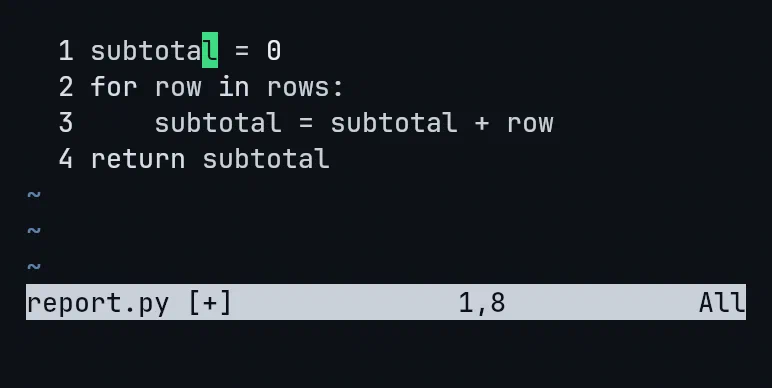
Four occurrences renamed. One key each after the first.
You often should. :%s/old/new/g is right when you genuinely want all of
them.
But a substitute is all or nothing. cgn and . let you look at each one and
decide, at the speed of tapping a single key. When some occurrences should
change and others should not, that difference matters.
Watch what happens if the new name contains the old one and you forget word boundaries:
/total            no boundaries
cgn subtotal<Esc>
.
You now have subsubtotal.
The search was for total. Your replacement subtotal contains total
inside it, so the next thing gn finds is the text you just typed. The rename
starts eating its own output.
The fix is to search for whole words:
/\<total\>\< and \> mean “word starts here” and “word ends here”. subtotal no
longer matches, and the rename behaves.
I have made this mistake. It takes about one second to make and a confused minute to understand.
Tomorrow, pick one habit: stop using $a and start using A. That single
swap makes a whole category of edits repeatable, and once you feel j. work
the rest follows naturally.
This is one lecture from Vim & Neovim Mastery, Build a Modern IDE From Scratch, where every command is typed on camera in a real terminal, mistakes included.